
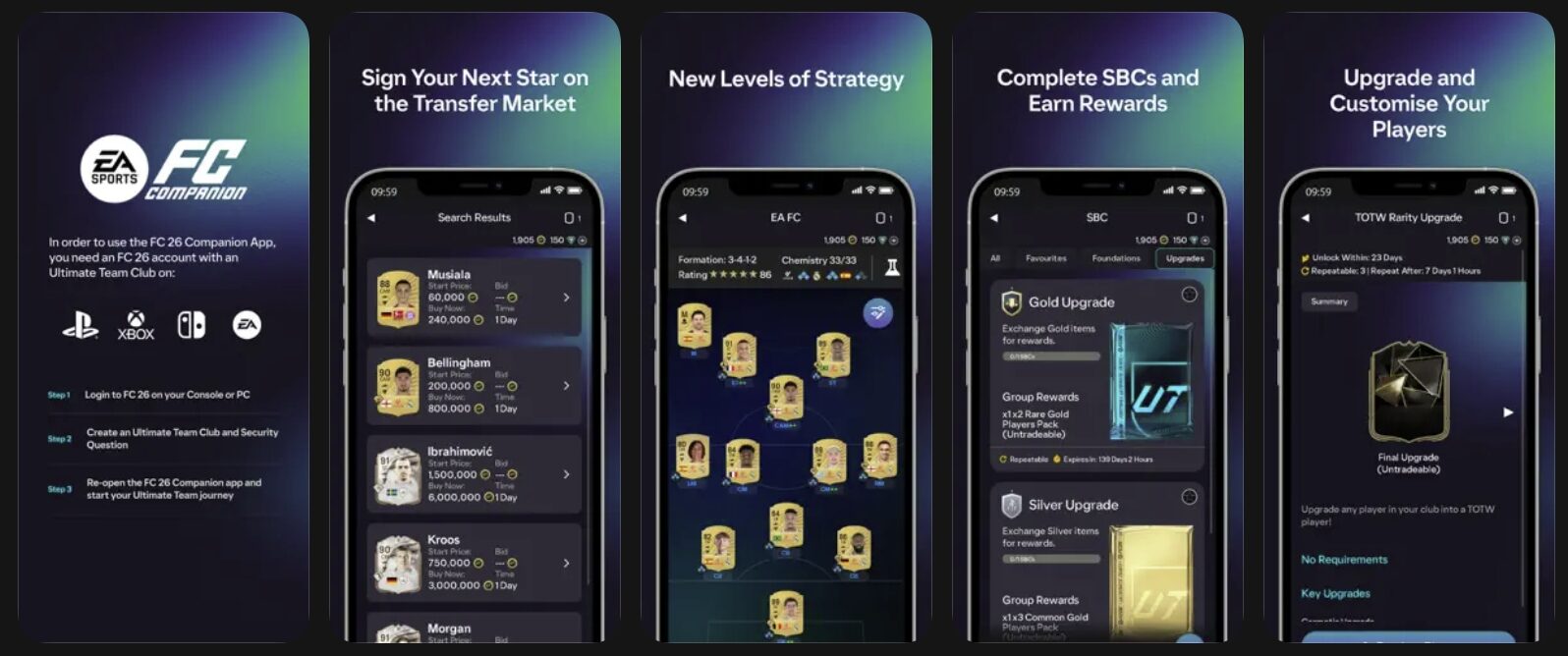
Oh joy, another way for EA to suck the last bit of cash from our wallets, and we’re just too happy to oblige. If you’re like me, you’re probably juggling multiple screens while trying to play your own matches, check transfer market prices, and keep up with live scores across the league all at once in EA Sports FC 26. It’s a miracle we don’t have a special edition of carpal tunnel syndrome named after us gamers yet. But fear not, dear reader, for I have discovered the secret to turning your smartphone or tablet into a dedicated, live-tracking second screen, because what’s a few more hours of screen time, right?
As it turns out, you don’t need a massive wall of monitors to stay on top of your virtual and physical football games. A little bit of organization and some handy apps can turn your device into a football command center. And by handy, I mean designed to separate you from your hard-earned cash. You can sync the official EA FC companion app with real-time match data, because who needs a social life when you can have live updates on your phone? This way, you can keep your head in both the virtual and physical games, and by head, I mean your wallet.
Setting Up Your Football Command Center (AKA Cash Cow)
It’s not exactly rocket science, folks. You just need to arrange your devices so you aren’t constantly fumbling with them mid-match. Keep your television, console, or computer monitor dedicated to the matches themselves – whether that’s a live Premier League stream or your own Weekend League games. Your smartphone or tablet will act as your trusty sidekick, providing you with real-time updates and transfer market prices. Just make sure to turn off auto-lock or set the screen timeout to “Never,” because who needs a battery life when you can have instant gratification?
Layering on the Essentials (And by Essentials, I Mean Stuff That’ll Cost You Money)
The official EA FC Companion App is an absolute must-have if you want to make coins during live games. Because, you know, real-world performance directly affects the virtual transfer market, and you wouldn’t want to miss out on those lucrative deals. Log in to the companion app and navigate to the Transfer Market tab, where you can buy and sell players like they’re going out of style. And by style, I mean like they’re rare in-game items that will be obsolete in a week.
To supplement your companion app, you can download specialized analytical apps like FotMob or Sofascore, which provide low-latency live stats and updates. Because what’s a few more dollars a month for premium features when you can have the edge over your fellow gamers? If you’re using an iPad or tablet, take advantage of the split-screen multitasking feature to keep both apps open at the same time. And if you’re using a phone, turn on aggressive push notifications to stay ahead of the curve – and by curve, I mean the curve of your dwindling bank account.
The Perfect Matchday Flow (AKA How to Turn Your Life into a Never-Ending Football Marathon)
Once everything is configured, your setup is incredibly simple to run. Your TV has the live broadcast running in full screen, your tablet has live player heatmaps and the EA FC Transfer Market, and your phone is ready to place a quick live bet using your active bonus code promos. With this setup, you aren’t just passively watching the game anymore – you’re actively tracking the data, managing your virtual club, and making calculated plays on the fly. And by calculated plays, I mean tossing your money into the void of online gaming.
In conclusion, the perfect matchday flow is all about creating a seamless experience that combines the thrill of live football with the agony of watching your wallet slowly drain. So go ahead, set up your football command center, and join the ranks of the financially irresponsible. Your wallet will hate you, but hey, at least you’ll have a good time. Now if you’ll excuse me, I have to go recharge my phone – and my bank account.

Pixel P. Snarkbyte, widely regarded as the “Shakespeare of Sh*tposts,” is a video game expert with a unique knack for turning pixels into punchlines.
Born in the small town of Respawn, Pennsylvania, Pixel grew up mashing buttons on an ancient NES controller, firmly believing that “blowing into the cartridge” was a sacred ritual passed down through generations.
Pixel P. Snarkbyte: proving that life, much like a buggy open-world game, is better with a little lag-induced chaos.
⚖️ ENTER THE LEGALIZER
Think the government has no idea what it's doing? Put your case before the Federal Case Terminal and find out.